
Triage Security emails with an AI Prompt Condition
Route threads from your security@ email address using AI to separate vulnerability reports from general inquiries.
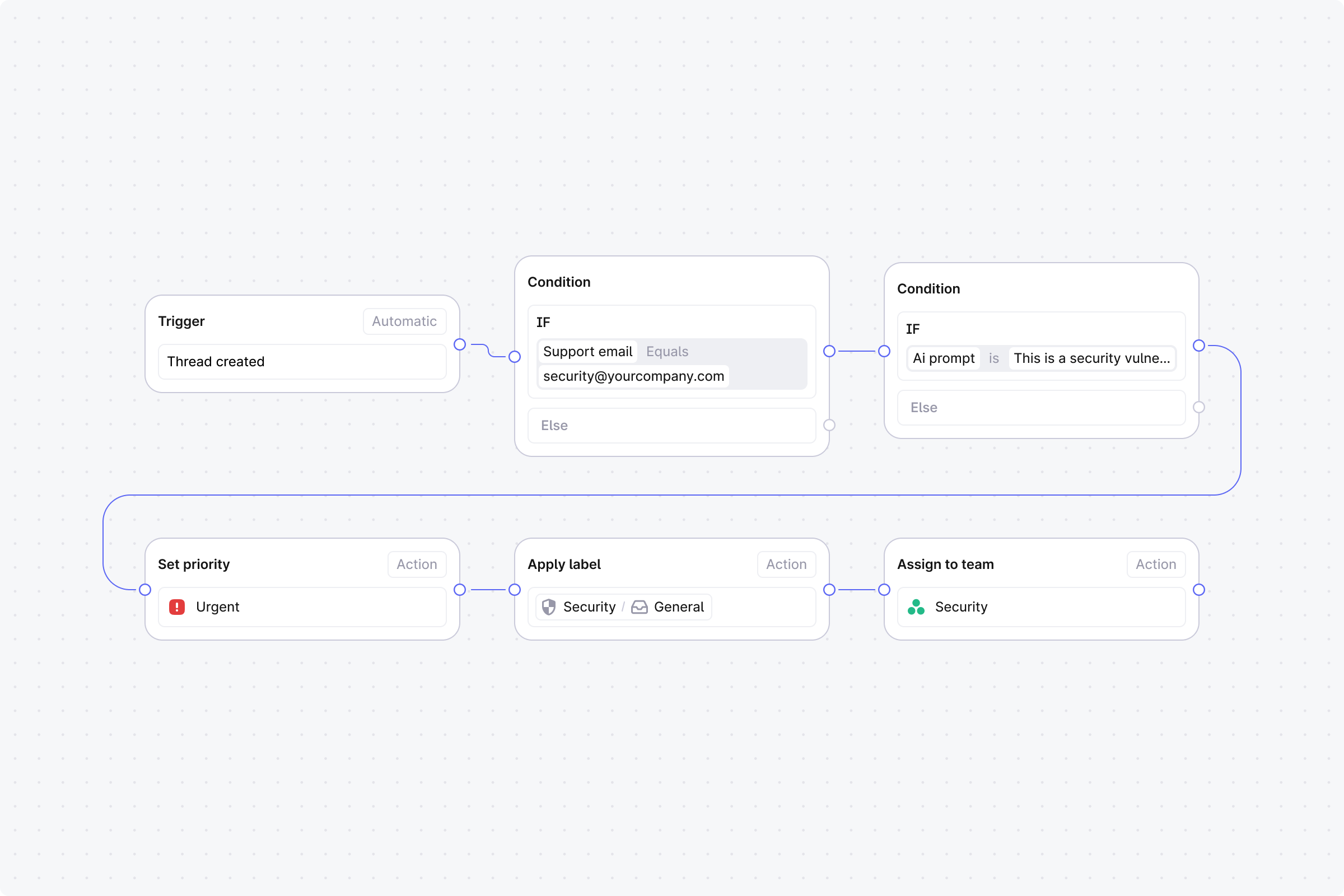
Setup
Trigger: Set to Automatic, event: Thread created.
Step 1 (Condition): Support email equals security@yourcompany.com.
No: End the workflow.
Yes: Continue.
Step 2 (Condition): AI prompt match with: "This is a security vulnerability report or disclosure".
Yes: Continue to Step 3.
No: Skip to Step 5.
Step 3 (Action): Set priority to Urgent.
Step 4 (Action): Assign to user. Select your security lead. End this branch.
Step 5 (Action): Apply labels. Select Security - General.
Step 6 (Action): Assign to team. Select your security team.