Overview
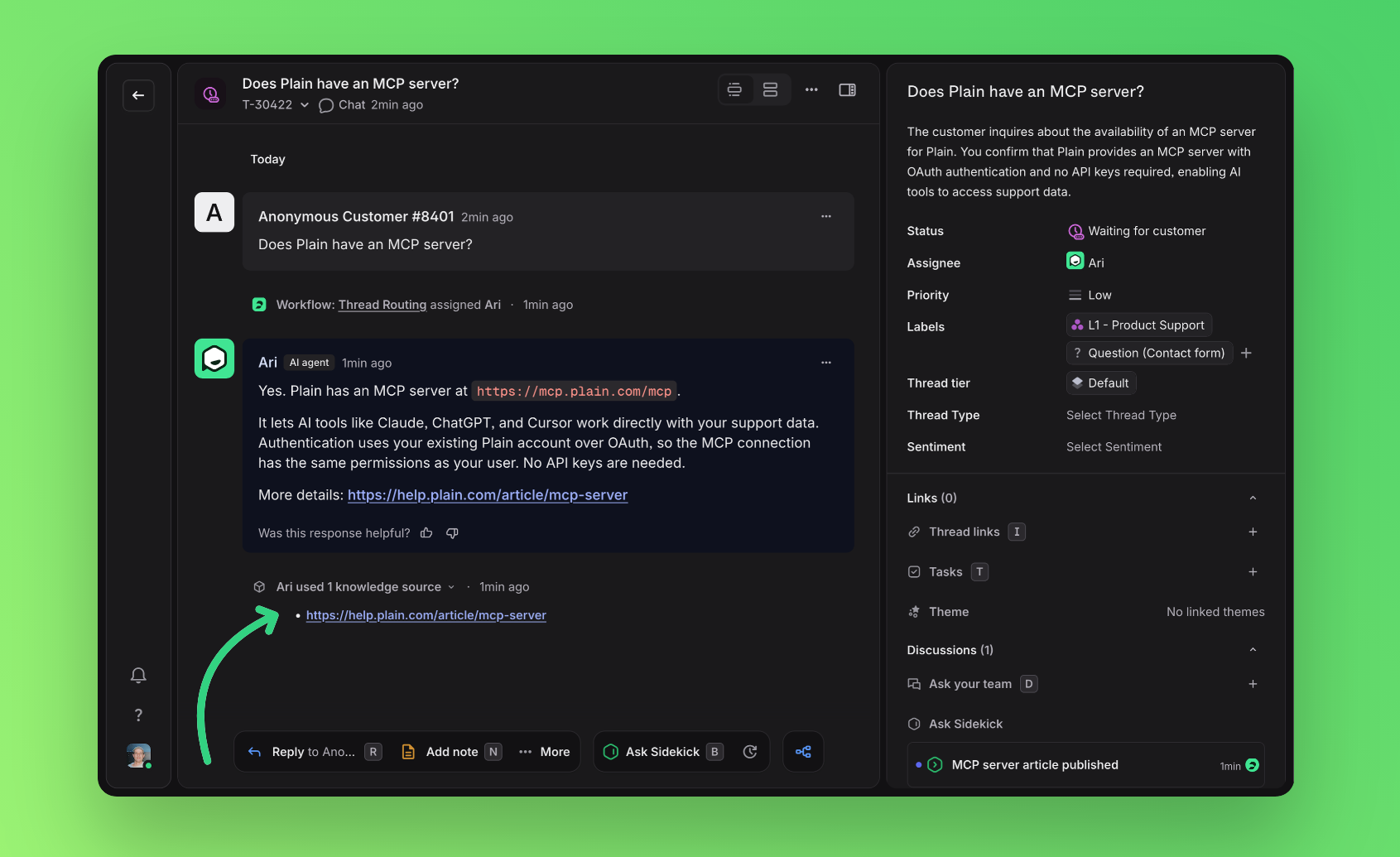
Ari is the customer facing AI agent built into Plain.
It answers what it can from your Knowledge Sources, and hands off to your team the moment it is unsure, before one of your customers has to ask twice.
No flow builder. No decision trees. No bot looping people in circles. Turn Ari on, point it at your knowledge, and it starts handling support out of the box.
Resolves the routine instantly, around the clock
Knows when to step back, and hands off to a human before a customer gets frustrated
Answers only from your knowledge, so its responses stay grounded in what you've told it
Works out of the box, no building required
What can Ari see?
Each time a customer message arrives on a thread that Ari is assigned to, it assembles a fresh snapshot of the support request to use as context.
Ari uses a well defined set of inputs to build the context of a thread, then uses that context to decide what to do next on a thread and act independently.
See Context for a full breakdown of what is included.
Custom instructions
Custom instructions let you tell Ari how to handle support for your workspace, in your own words.
Ari applies them at every step of handling a request: understanding the customer's message, searching your knowledge sources, and writing replies and handoff messages.
For example, you can have Ari:
Introduce itself in a specific way on the first reply of a conversation
Hand every billing question to your team, with a note explaining why
Ask for the exact error message before troubleshooting, then pick the conversation back up when the customer answers
Search using your documentation's terminology when customers use different words
See Custom Instructions for examples and guidance on writing them.
Shadow mode
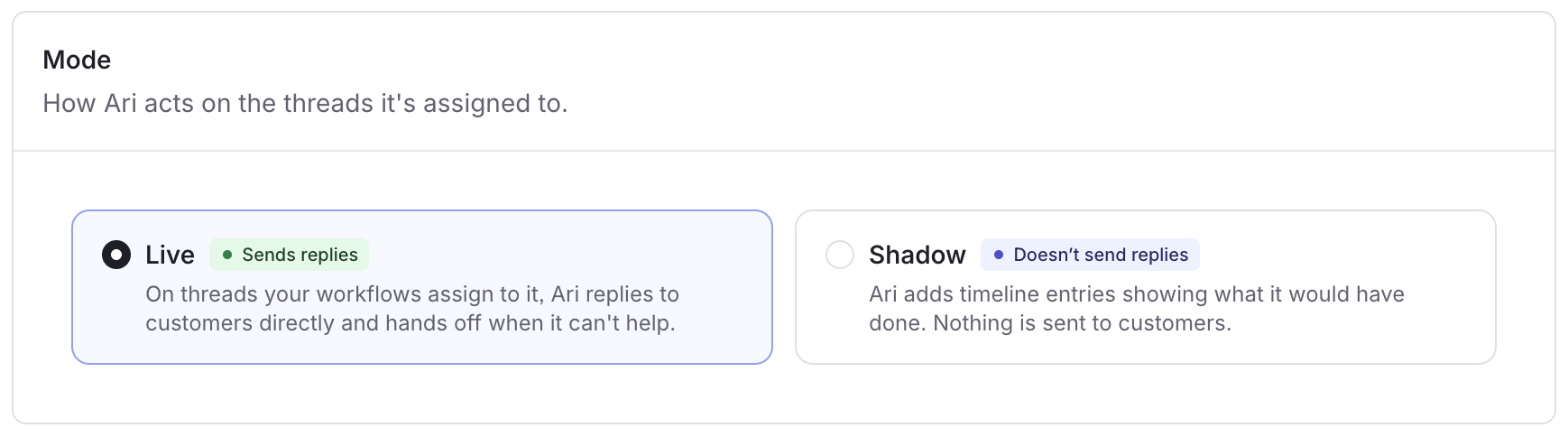
Shadow mode lets you see how Ari would handle your support before it replies to any customer.
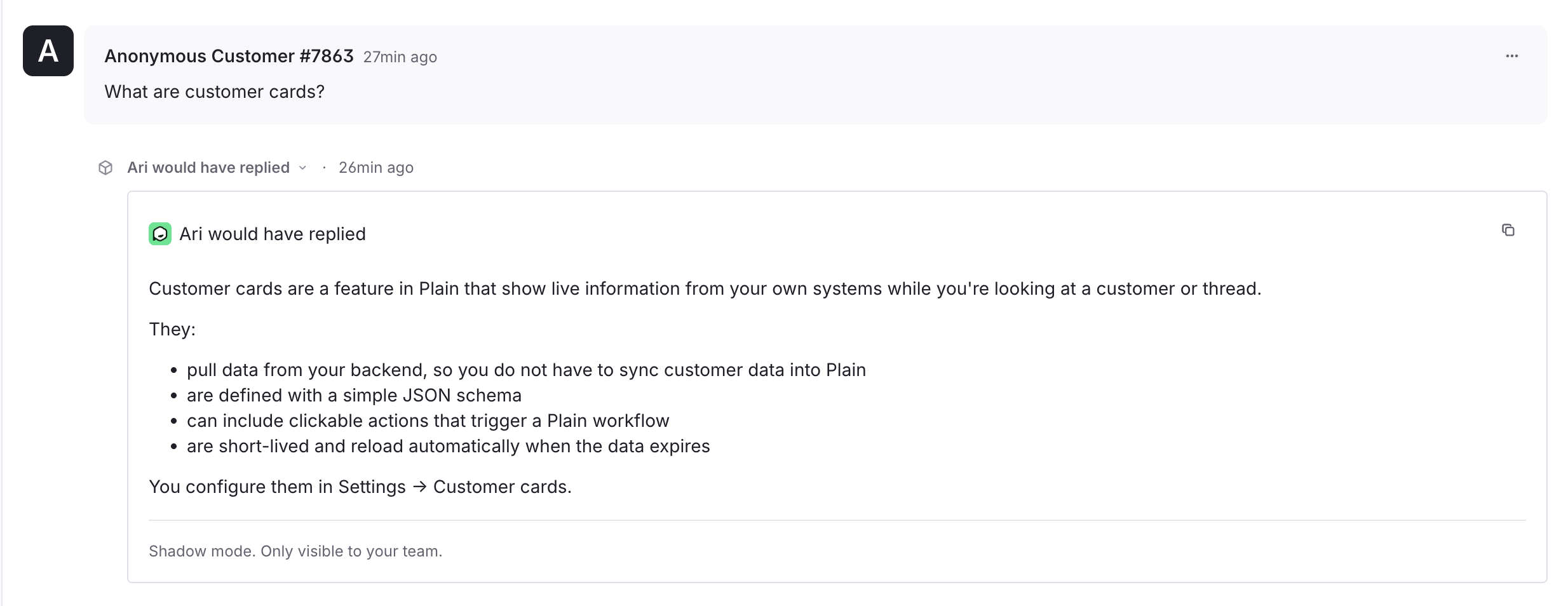
Ari runs on your real conversations, but instead of sending anything, it adds a timeline entry showing what it would have done; the reply it would have sent, or the reason it would have handed off to your team.
Your team keeps handling every conversation the same way they do now. Ari doesn't message the customer or change the thread, and customers never see these entires from Ari. This lets you check Ari's behaviour, and build trust, on your own tickets without affecting the customer experience.
New AI agents start in shadow mode. Ari only starts replying to customers once you take it live.
What you'll see
While Shadow mode is on, Ari adds private timeline entries when new customer messages are added to thread. Each entry says one of:
Would have replied → The draft answer Ari would have sent
Would have handed off → When Ari would have passed the thread to your team, and why
No response needed → Ari decided nothing needed a reply
These entries are internal, so customers never see them.
Once Ari would have handed a thread off to your team, it stops adding entries to that thread, the same as when Ari is operating in live mode.
Which threads Ari shadows
Ari shadows the same threads it would work on when live. A thread comes to Ari in one of two ways:
Automatically via workflows
The assignment workflow you set up for Ari decide which threads it picks up, so you can limit Shadow mode to specific tiers, labels, or channels
If no workflow assigns threads to Ari, Shadow mode has nothing to watch
Manually
You can assign Ari to any thread yourself to see how it would handle that specific conversation
Either way, Ari runs alongside your team without interfering with your assignments.
It's added as an additional assignee rather than taking the thread over, so your queues, workflows, and assignment rules stay intact and whoever was already handling the thread keeps handling it.
Enabling shadow mode
You switch between Shadow mode and live on the Plain AI → Ari → Preferences page.
When you're happy with Ari's drafts, turn Shadow mode off there to take it live. Ari then replies to customers on the threads assigned to it.
Reading via GQL
In shadow mode Ari writes its outcome to the thread's timeline as a Thread Event. Read it like any other timeline entry, filtering to events:
query ($threadId: ID!) {
  thread(threadId: $threadId) {
    timelineEntries(filters: { entryTypes: [THREAD_EVENT] }, first: 50) {
      edges { node { entry { ... on ThreadEventEntry {
        externalId
        title
        components { ... on ComponentContainer { containerContent {
          ... on ComponentText { text }
        } } }
      } } } }
    }
  }
}
Shadow mode events are identified by their externalId, which starts with ari-dry-run.
When Ari would have answered, the drafted reply is the ComponentText inside the event's ComponentContainer.
Citations
Ari shows the knowledge it used to answer, so you and your customers can see where a reply came from and trust it.
Inline links
Ari links directly to the relevant documentation inside its reply to customers, including relevant links that further help the customer with answering their question.
Links only ever point to your publicly accessible Help Center articles and public documentation pages. Ari never links a private or internal Help Center article, even when it used that content to answer.
Ari keeps links to a minimum (at most two per reply) and adds one only when it is genuinely useful to the reader.
Inline links are on by default. You can turn them off for your workspace on the Ari → Preferences page.
Which knowledge was used?
Each time Ari answers from your knowledge, it adds a collapsible timeline entry titled "Ari used 3 knowledge sources".
Citations are captured at the moment Ari replies, so the entry keeps showing what Ari used even if that source is later edited, reindexed, or deleted.
This is on by default. You can turn it off for your workspace on the same Ari → Preferences page.
Reading via GQL
The same citations are available outside the app, so you can audit what Ari cited at any time.
Query
knowledgeSourceCitationsByThread(threadId)to get every source Ari cited across a thread, each linked to the timeline entry it was cited inOr use the Plain MCP Server, which also has access to this data via a tool call