
Route Enterprise threads to Account Owners
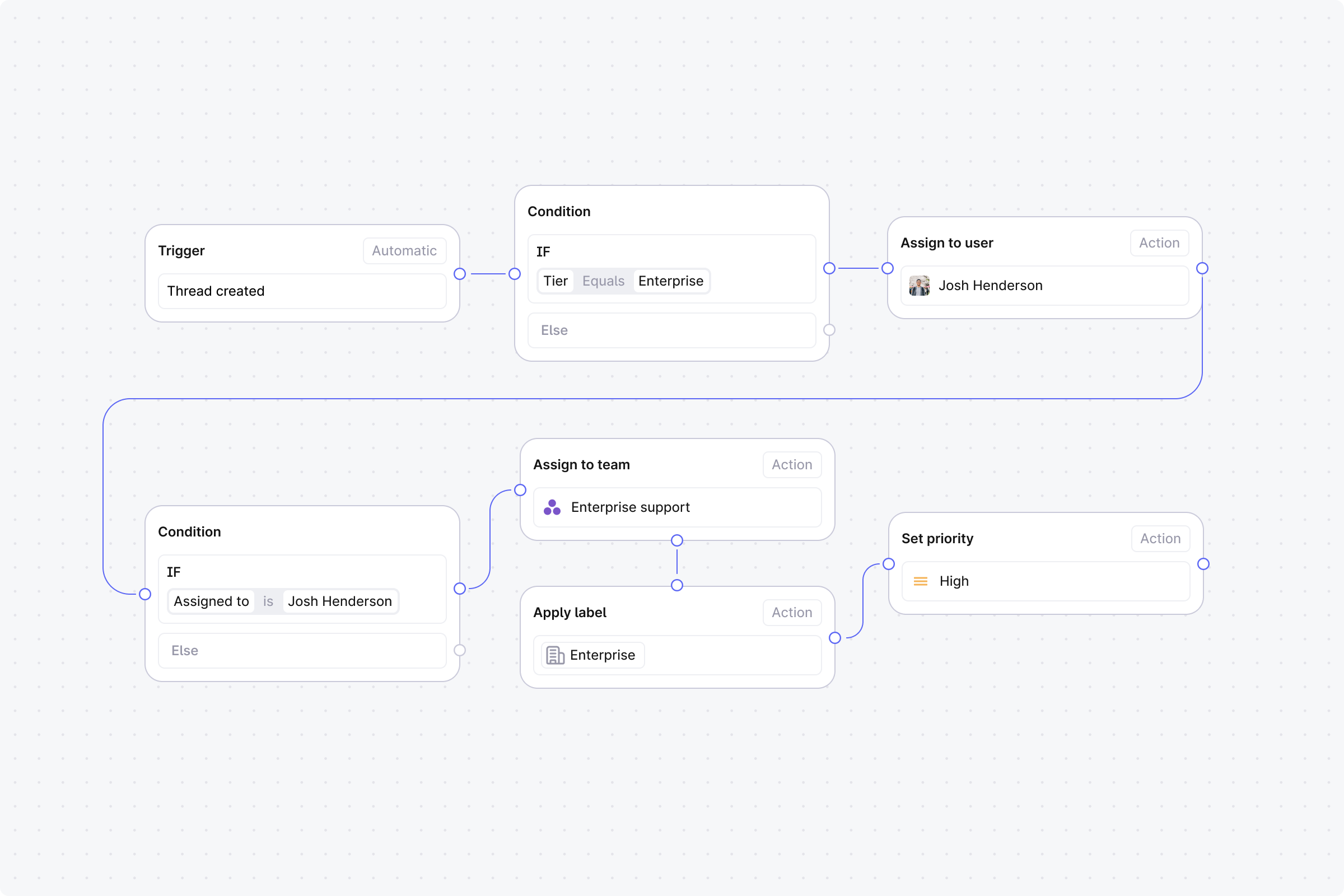
When a thread is created, check if the customer is enterprise tier. If yes, assign it to their account owner. If no account owner is set, fall back to the enterprise support team.
Setup
Trigger: Set to Automatic, event: Thread created.
Step 1 (Condition): Tier equals Enterprise.
No: End the workflow. Default routing handles it.
Yes: Continue.
Step 2 (Action): Assign to company account owner.
Step 3 (Condition): Assigned to checks if someone is now assigned. This confirms the account owner assignment worked.
Yes: End the workflow. The account owner is assigned.
No: Continue.
Step 4 (Action): Assign to team. Select your enterprise support team label.
Step 5 (Action): Apply labels. Select Enterprise.
Step 6 (Action): Set priority to High.