
Updating
You can update the Plain teams application in a few clicks in your Teams Admin Portal.
Prerequisites
You will need an administrator of your Teams instance
The updated Plain MS Teams application
.zipfileThis can be found in the Plain settings under "Channels" -> "Microsoft Teams"
Getting Started
The following steps must be executed by your Teams administrator.
In order to apply the update, navigate to your Teams Admin portal
Navigate to your "Plain" application
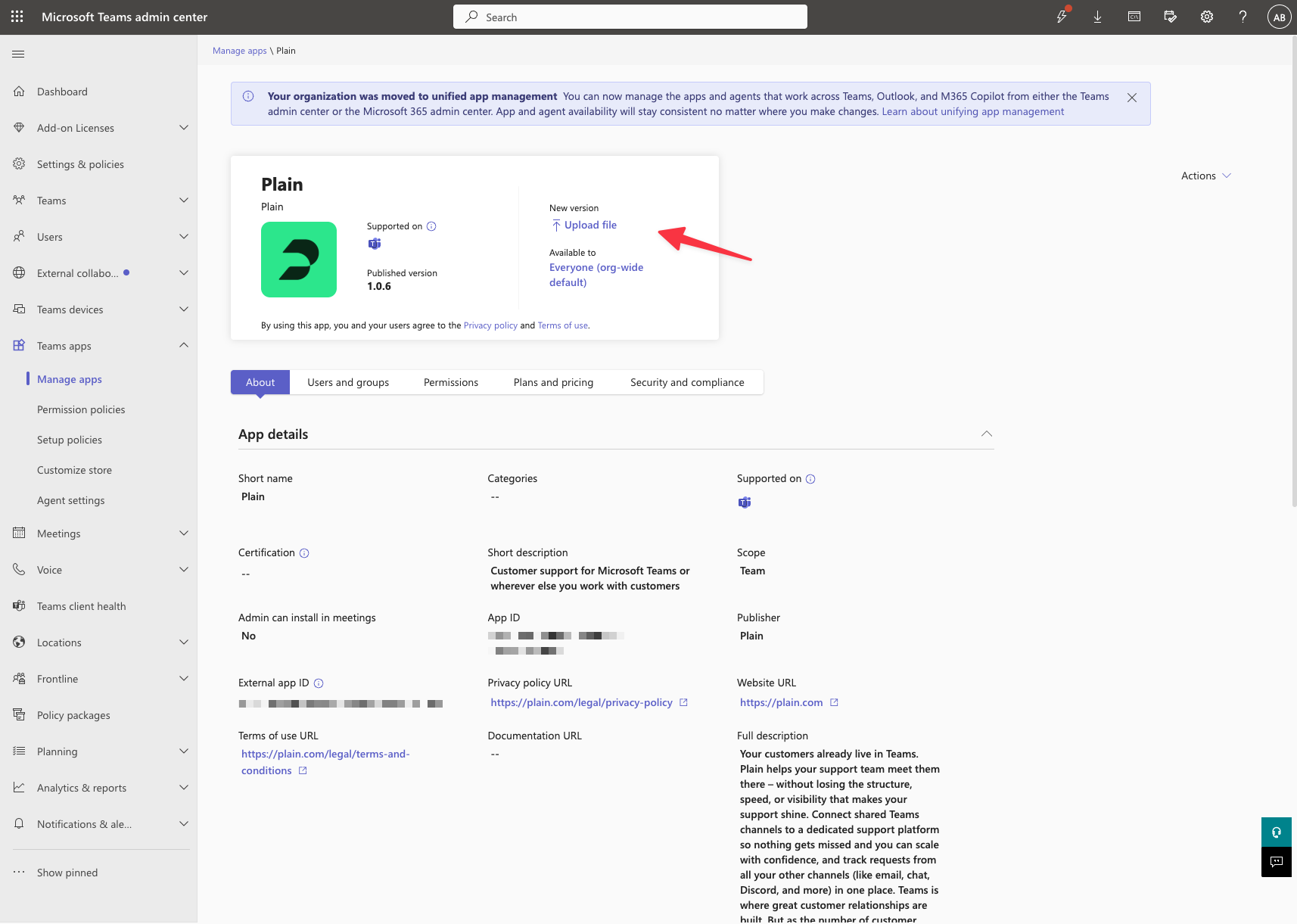
Find the "Upload File" button in order to upload our latest
.zip.
Troubleshooting
Updates that include new scope requirements, for example to support "Chats" channels, will require your users to re-authenticate their user integration, also known as the "Reply As" integration. Plain users should be prompted to do so next time they open the composer in a Plain thread, but if they run into any issues, they can manually unlink / link the "Reply As" Microsoft account in Plain's "Microsoft Teams" settings page.